
Your plan and seats
See how many seats, companies, branches and CRM connections you are using, what happens at a limit, and how to get more.
Your plan is at the top of Organisation and roles. It shows the name of your plan and four counts.
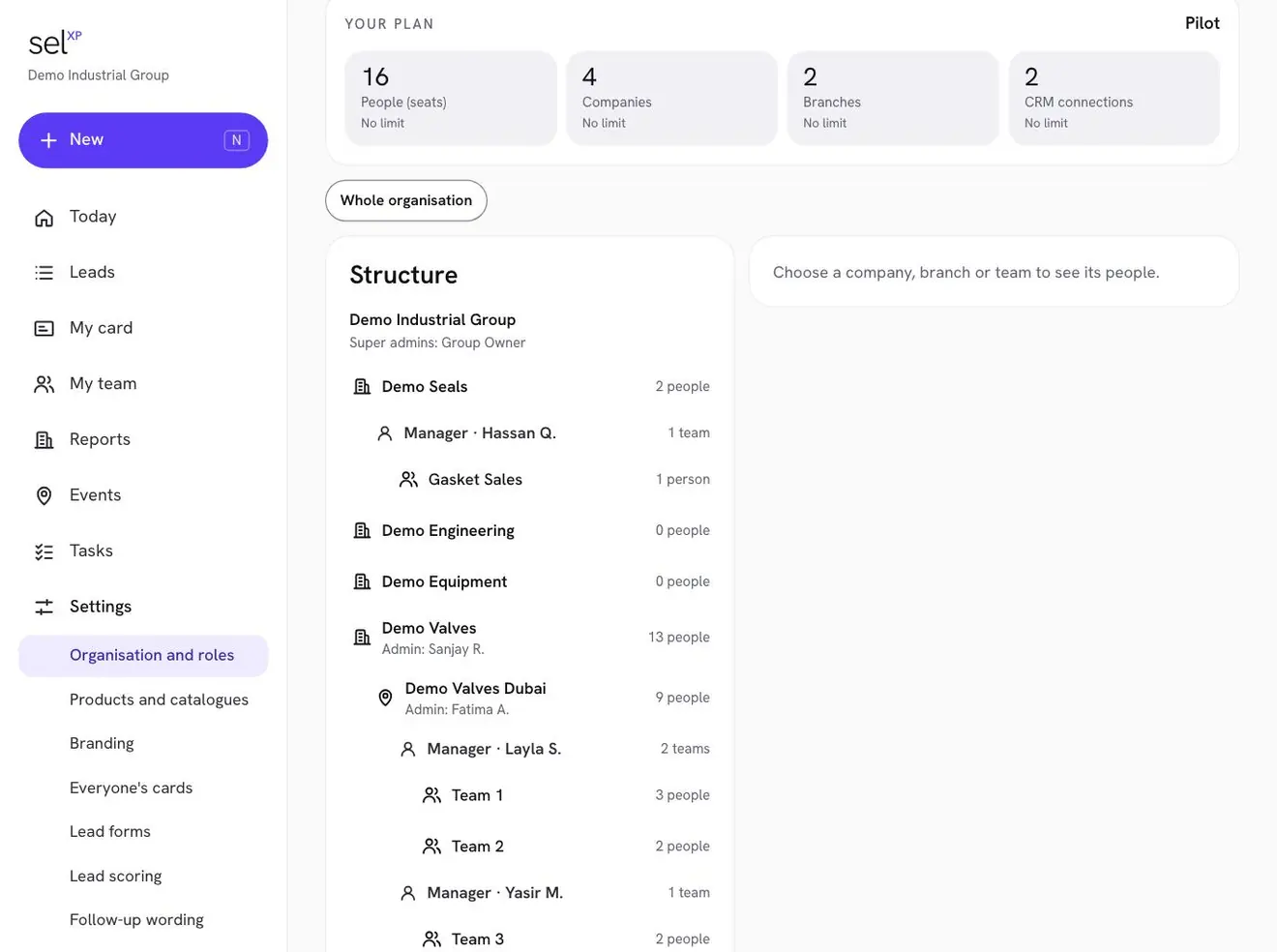
| Count | What it counts |
|---|---|
| People (seats) | Active and invited people. Switched-off people do not count. |
| Companies | The companies in your structure. |
| Branches | The branches in your structure. |
| CRM connections | The CRMs you have connected. |
Under each count it says how many are left, All in use, or No limit.
When something is all in use
- You cannot add a new one of that kind.
- Nothing you already have is affected.
- For seats, switching someone off frees one. Inviting a new person or switching someone back on then works again.
Get more
Write to us at the email address under this page. Selling and plans happen outside the app, so there is nothing to buy on this screen.
Good to know
- Field Presence is an add-on. If it is not in your plan, it does not appear in your settings.
- Our support staff, when you let them in, do not use a seat. See Support access.
Still stuck?
Ask your company's admin, or write to hello@lucidarc.ae. Say which screen you were on and what you expected to happen.