
Follow-up wording
Write your own words for the emails and WhatsApp messages reps send, with fields the app fills in for each lead.
Reps choose the language and the catalogues. The wording is yours. Open Follow-up wording. Only super admins can open it.
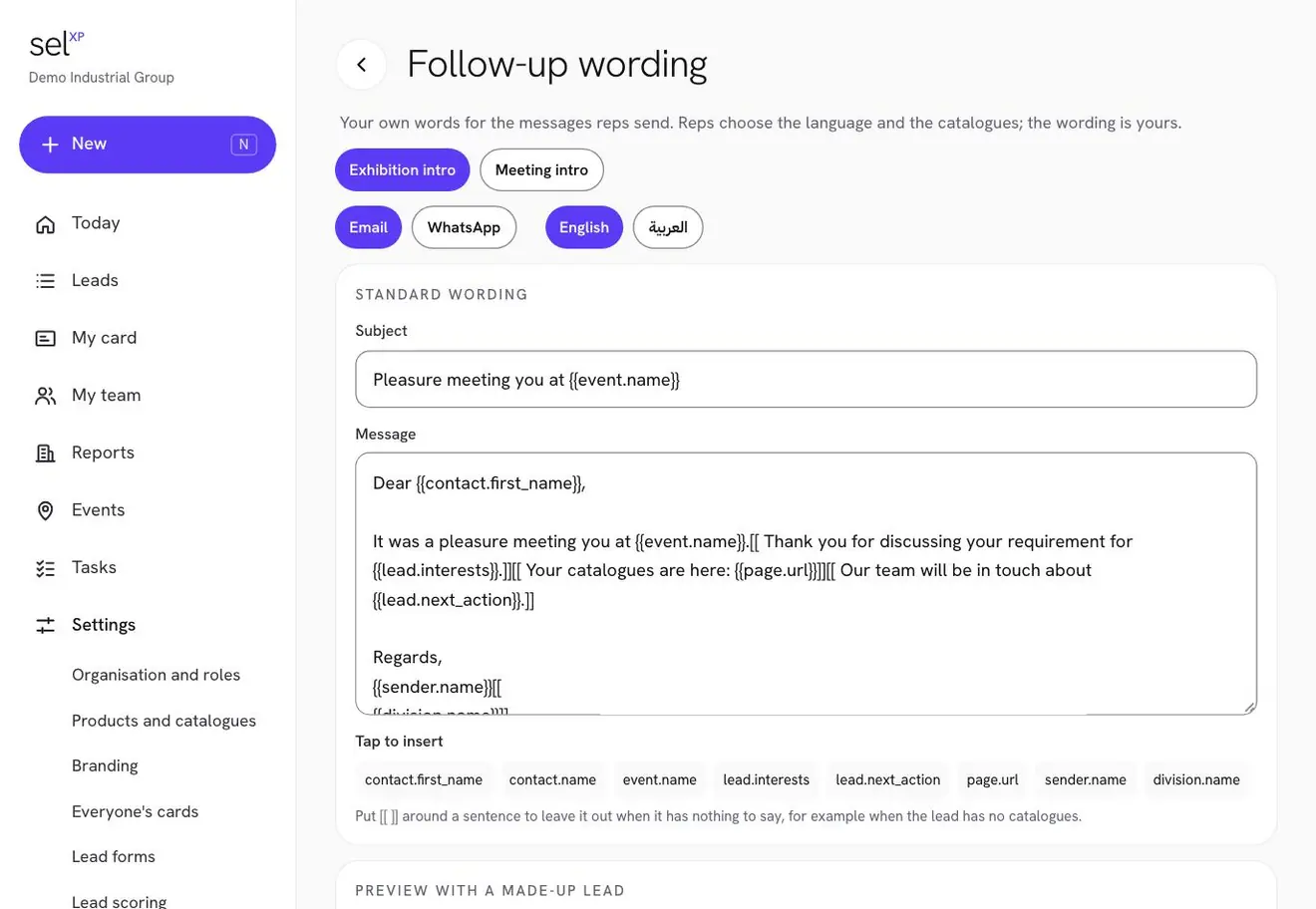
Write a message
- Choose the message: Exhibition intro or Meeting intro.
- Choose Email or WhatsApp.
- Choose English or العربية.
- Write the Message, and for an email the Subject.
- Check Preview with a made-up lead further down.
- Tap Save.
The label above the message says Standard wording or Your wording. Each mix of message, channel and language is saved by itself, so write each one you use.
Fields you can insert
Tap a name under Tap to insert. It goes in where your cursor is, in double curly brackets. The app fills it in for each lead.
| Field | What goes in |
|---|---|
contact.first_name |
The person’s first name. |
contact.name |
The person’s full name. |
event.name |
The event. |
lead.interests |
What they were interested in. |
lead.next_action |
The next step, in words. |
page.url |
The link to the lead’s own page. |
sender.name |
The rep’s name. |
division.name |
The company the rep sends for. |
A name the app does not know is refused, and the message cannot be saved until you correct it.
Leave out a sentence when it has nothing to say
Put [[ ]] around a sentence. If a field in it is empty, the whole sentence disappears. For example, a lead with no catalogues gets no sentence about catalogues.
Go back
Use standard goes back to the standard wording for that message.
Let reps change the message
Reps can change the message is on unless you turn it off. When it is on, a rep can edit a follow-up before sending it, or have it written with AI from their notes. Each message still starts from your wording.
Turn it off to send your wording exactly as it is. The rep then sees no way to change it. The switch applies to the whole company, only a super admin can change it, and each change is recorded.
Good to know
- An event can have its own wording. See Set up an event.
- Reps can also have a message written for them with AI from their notes. They read it before it goes. See Follow up a lead.
Still stuck?
Ask your company's admin, or write to hello@lucidarc.ae. Say which screen you were on and what you expected to happen.