
Reminders and summaries
Set when lead owners and managers are reminded, turn on the manager summaries, and choose quiet time and quiet days.
Open Reminders and summaries. Only super admins can open it. Tap Save when you are done.
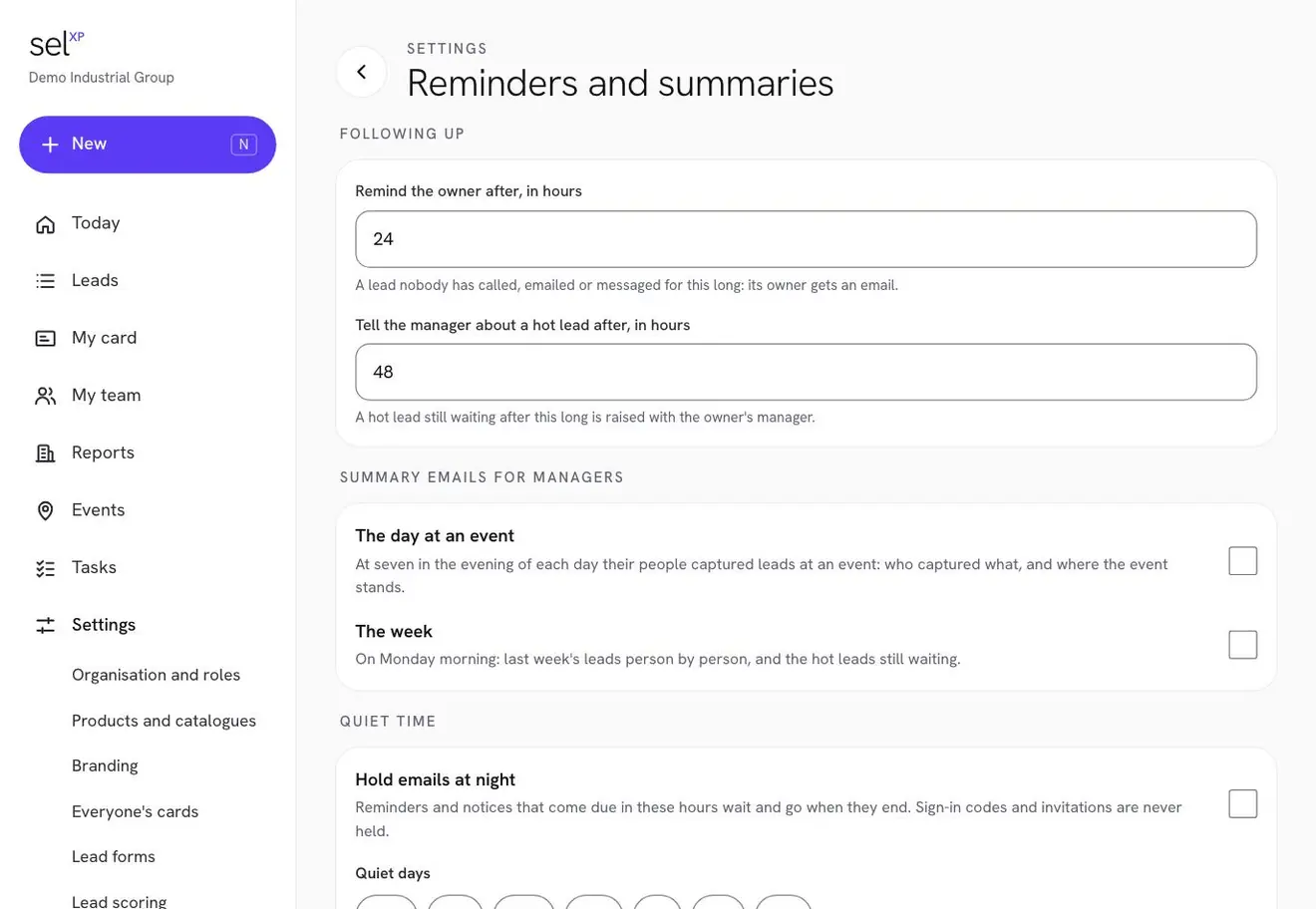
Following up
| Setting | What it does | Standard |
|---|---|---|
| Remind the owner after, in hours | A lead nobody has called, emailed or messaged for this long: its owner is reminded. | 24 |
| Tell the manager about a hot lead after, in hours | A hot lead still waiting after this long is raised with the owner’s manager. | 48 |
Each can be from 1 to 720 hours. The manager cannot be told sooner than the owner is reminded.
If the owner has no manager, the hot lead goes to the admins of their company or branch. If there are none, it goes to the super admins.
New periods apply to leads captured from now on. A lead’s clocks start again when it changes hands.
Summary emails for managers
Both are off until you turn them on.
| Setting | What it does |
|---|---|
| The day at an event | At seven in the evening of each day their people captured leads at an event: who captured what, and where the event stands. |
| The week | On Monday morning: last week’s leads person by person, and the hot leads still waiting. |
Quiet time
| Setting | What it does |
|---|---|
| Hold emails at night | Reminders and notices that come due between From and Until wait, and go when the time ends. The hours can run overnight. |
| Quiet days | Nothing is sent on these days, for example Friday and Saturday. It goes when the next working day starts. At least one day must stay open. |
Sign-in codes and invitations are never held. Times are in your workspace’s time zone, shown on the screen.
How people get reminders
Reminders go by email. They also go as notifications to phones where the person turned on Reminders on this phone in their Profile. Quiet time holds both. See Tasks and reminders.
Good to know
- Ramadan mode also holds reminder emails until midday. See Working calendar, goals and ranking.
- The end-of-shift reminder and daily email are set under Field Presence settings.
Still stuck?
Ask your company's admin, or write to hello@lucidarc.ae. Say which screen you were on and what you expected to happen.