
Sign in
There is no password: you sign in with your work email and a six-digit code sent to it. What to do when the code does not come.
Your company’s admin adds you with your work email. Signing in uses that address. Each sign-in sends a new code, so there is no password to forget.
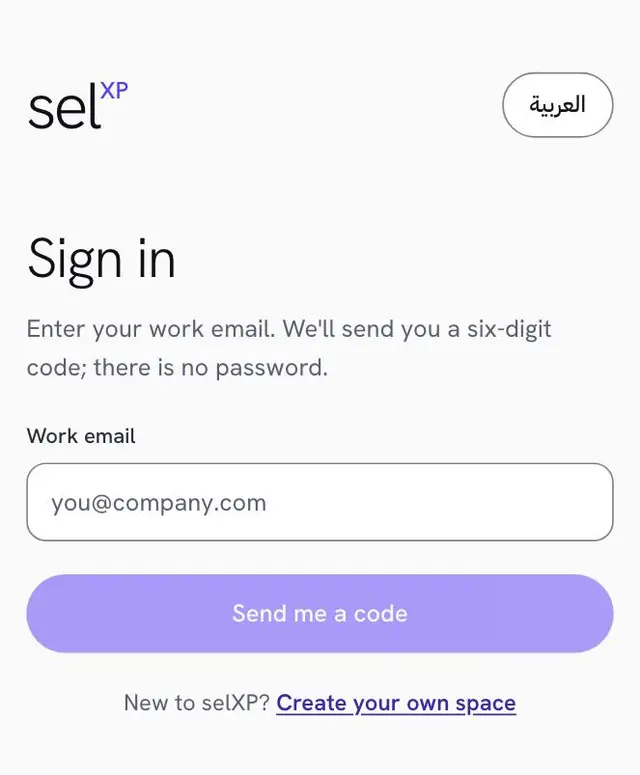
Sign in
- Open the app and type your work email.
- Tap Send me a code. A six-digit code arrives by email, usually within a minute.
- Type the code. It is checked as soon as you type the sixth digit, and it lasts 10 minutes.
- If your email belongs to more than one company, choose the one to open under Which workspace?
The app then remembers you on this phone. The button at the top of the sign-in screen changes it to Arabic or English.
If you belong to more than one space
After you are in, the name under the greeting on Today shows which company you are in. Tap it to move to another. See A personal space.
Sign out
Open Profile and tap Sign out, near the bottom. This takes your leads off the phone and stops its reminders, so the next person on a shared phone sees nothing of yours. Wait for Synced first: see Working with no signal.
If you have no company
New to selXP? Tap Start your 14-day trial on the sign-in screen and sign up with your email. See A personal space.
What to do when something goes wrong
| What you see | What to do |
|---|---|
| No code arrives | Check your spam folder. Check you typed your work address. Tap Send a new code. |
| You typed the wrong address | Tap Use a different email. |
| The code is refused | It may have expired. Tap Send a new code and use the newest one. |
| No new code comes after several tries | Only five codes are sent to an address in an hour. Wait, then look for the last one you were sent. |
| “There is no account for this email” | Check the address, or ask your company’s admin to invite you. |
| “You already have an account, or your company has invited you” | You tried to create a space with an address your company knows. Sign in instead. |
| “Too many attempts” | Wait a few minutes and try again. |
| “Can’t reach the server” | Check your connection and try again. Signing in needs a signal. |
Still stuck?
Ask your company's admin, or write to hello@lucidarc.ae. Say which screen you were on and what you expected to happen.