
Target accounts
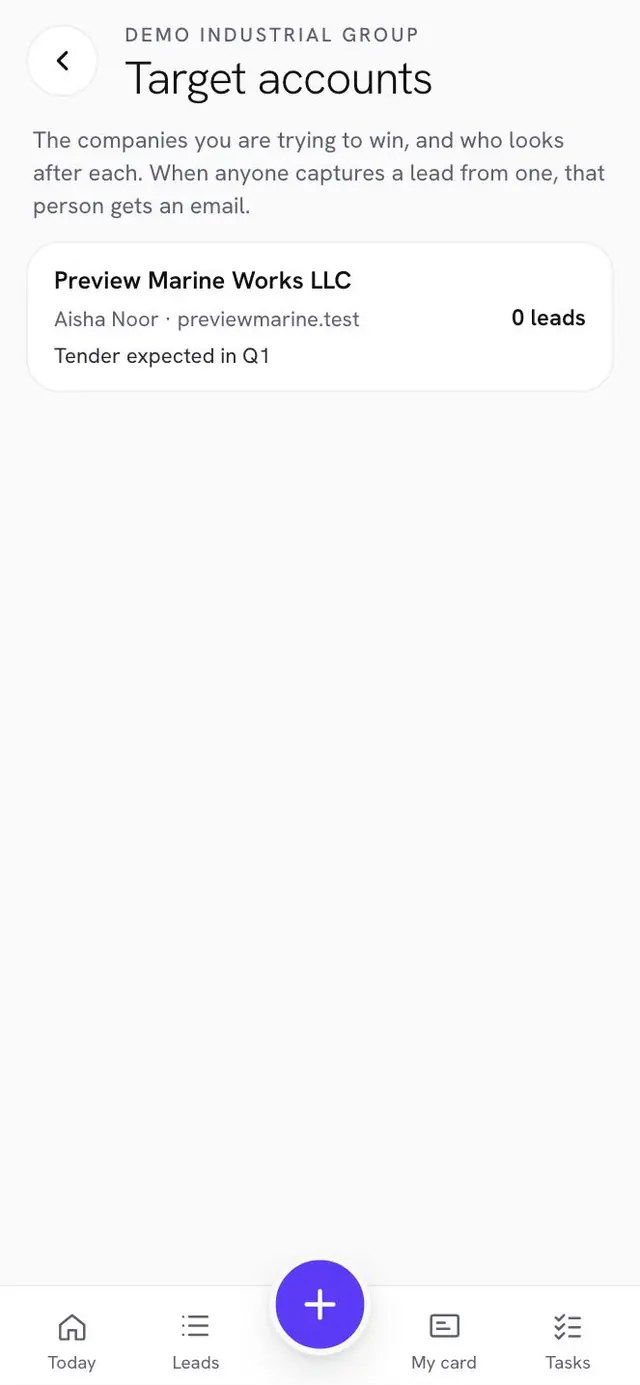
Keep the list of companies you most want to win, choose who looks after each, and see how the team is told when one is met.
Target accounts are the companies you most want to win. Everyone in your company can see the list, so a rep at the stand knows who to mention. Managers and admins keep it.
Open Target accounts in Profile.
Add one
- Tap Add.
- Fill in the form.
- Save it.
| Box | What to enter |
|---|---|
| Company | The name. You must fill this in. |
| Their email domain | The part after the @ in their staff’s addresses. A lead with an email there counts, whatever the card calls the company. Leave it empty if you do not know it. |
| Looked after by | You, or someone in your teams. |
| Note | Anything useful, such as a tender date. |
Change or remove one
Tap the account to change it. Take off the list removes it, and its leads stay as they are.
What happens when one is met
- Anyone captures a lead with that company’s name or email domain.
- The rep sees a notice that this is a target account and who looks after it.
- The person who looks after it gets an email, and a notification if reminders are on. It says who was met, by whom and where.
Nothing is sent if that person captured the lead themselves, or if the lead came from an imported list.
The list shows how many leads each account has, and the date of the latest.
Good to know
- A domain catches people the card spells differently, so add one if you can.
- The email links to the lead only if the person may open it. Otherwise it says who to speak to.
- Only one person looks after each account.
Still stuck?
Ask your company's admin, or write to hello@lucidarc.ae. Say which screen you were on and what you expected to happen.