
Working calendar, goals and ranking
Set your working days, holidays and Ramadan, and decide whether people see goals, streaks and a team ranking.
Goals, streaks and reminders count working days by this calendar. It follows your country until you change it. Open Working calendar. Only super admins can open it.
Changes here save as soon as you make them.
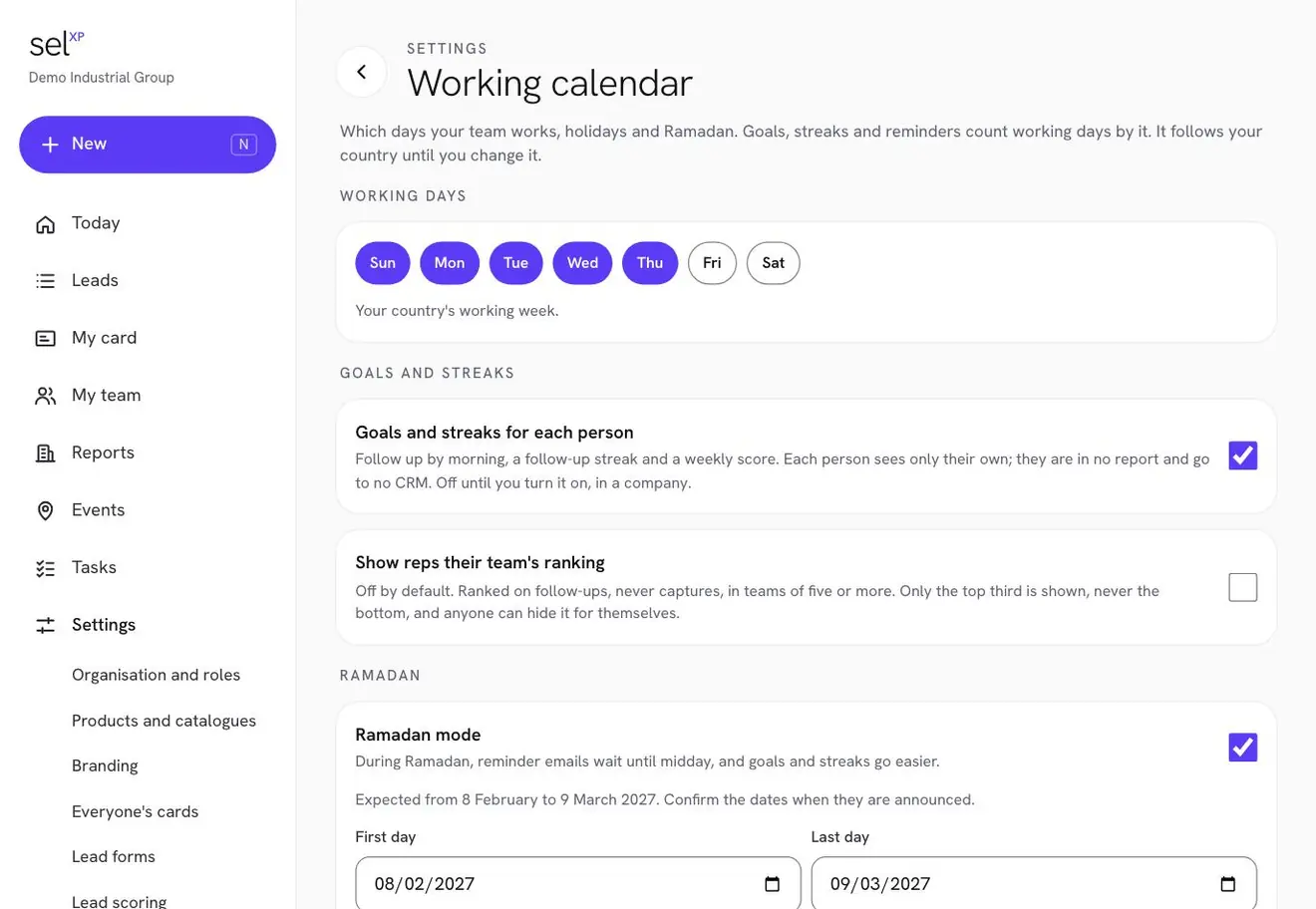
Working days
Tap a day to turn it on or off. Keep at least one working day.
The line below says Your country’s working week or Your own working week. Use the country’s goes back.
Goals and streaks
Goals and streaks for each person turns on three things:
- Follow up by morning: the people they met, to follow up by the next working morning.
- Follow-up streak: the working days in a row they have done so.
- Your week: a weekly score.
Each person sees only their own. These numbers are in no report and go to no CRM. It is off until you turn it on.
Team ranking
Show reps their team’s ranking appears once goals and streaks are on. It is off by default.
- People are ranked on follow-ups, never on captures.
- It works in teams of five or more.
- Only the top third is shown, never the bottom.
- Anyone can hide it for themselves in their Profile, under Show my team’s ranking.
Ramadan
Ramadan mode does two things during Ramadan:
- Reminder emails wait until midday.
- Goals and streaks go easier: the morning deadline moves from 10:00 to 13:00, and a missed day pauses a streak rather than breaking it.
It starts on in Gulf countries. The screen shows the expected dates. When the dates are announced:
- Set the First day and Last day.
- Tap Save Ramadan’s dates.
Holidays
The expected public holidays still to come are listed, each marked expected, confirmed, your own or a working day.
| Button | What it does |
|---|---|
| Confirm | Marks an expected holiday as confirmed. |
| Remove | Makes it a working day. A day you added is deleted. |
| Put back | Brings back a holiday you removed. |
Add a day off
Under Add a day off, choose the Date, type What it is, and tap Add. Use it for a company day or a day the expected list does not have.
Good to know
- The holidays and Ramadan dates given are estimates until you confirm them.
- A person can choose an evening reminder for their own follow-ups in their Profile, if goals are on.
Still stuck?
Ask your company's admin, or write to hello@lucidarc.ae. Say which screen you were on and what you expected to happen.