
Lead forms
Choose which questions reps answer about a lead, add your own with points for the score, and set forms by event or meeting.
A form is the set of questions a rep answers about a lead. Until you add one, every standard question is asked and none is required. Open Lead forms.
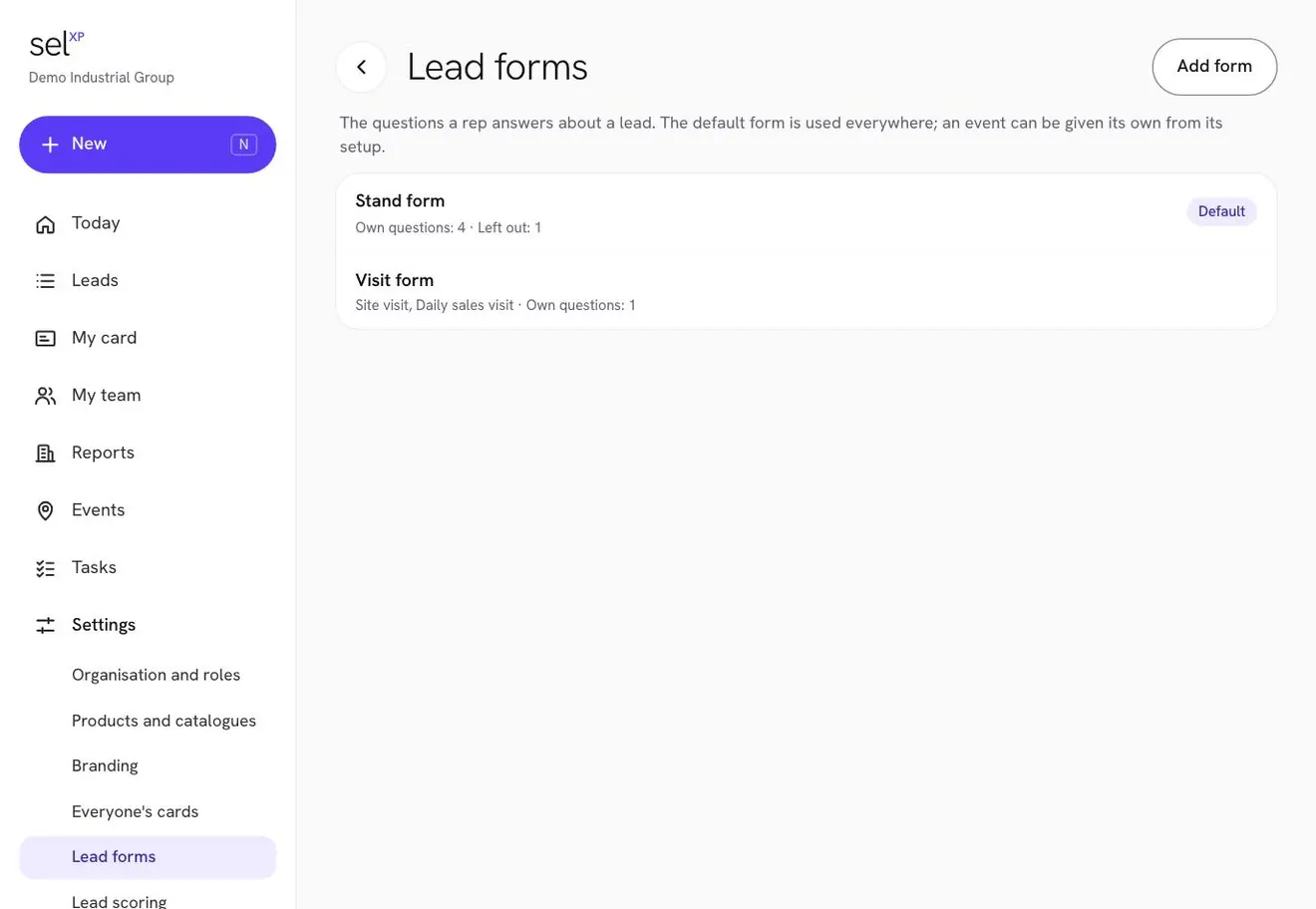
Add a form
- Tap Add form.
- Give it a Name.
- Choose where it is used, the questions and the products.
- Tap Save. Phones pick it up the next time they are online.
Which form a lead gets
A lead gets its event’s form first, then the form for how you met, then the default.
- Use for every lead whose event has no form of its own makes this form the default. Your first form is the default unless you say otherwise.
- Use this form for ties it to how the lead was met: Events with no form of their own, Card exchange, Site visit, Client meeting, Daily sales visit, Referral or Other. Each way of meeting has one form, so choosing it here takes it from any other.
- An event’s own form is chosen in the event. See Set up an event.
Standard questions
| Question | Can be left out | Can be required |
|---|---|---|
| Product interests | Yes | Yes |
| Their role | Yes | Yes |
| When they will buy | Yes | Yes |
| Buying signals | Yes | No |
| Opportunity value | Yes | Yes |
| Quotation asked | Yes | No |
| Notes | No, always there | Yes |
Tap Asked to leave a question out, and Required to make it a must. The lead’s score comes from these and from your own questions’ points, so leaving one out means it earns no points.
Products offered
Tap a product to leave it off this form. If you ask no product interests, this part is hidden.
Your own questions
Tap Add a question, then fill in:
- Question, and In Arabic (optional).
- Answer: the kind of answer.
- Required, if it is a must.
| Answer | How points work |
|---|---|
| Text | No points. |
| Yes or no | Points for yes, from -100 to 100. Empty for none. |
| Number | Points by how big the number is. See below. |
| One of a list | Each choice can carry points. |
| Several of a list | Each choice can carry points. |
Writing choices
Put one choice on each line. Add Arabic after a bar, and points at the end:
Oil and gas | النفط والغاز | 20
Writing number bands
Put one band on each line: the value, a bar, then the points. An answer earns the points of the highest value it reaches.
100 | 10
500 | 25
With these bands, an answer of 600 earns 25 points. An answer below 100 earns none.
Answers to your own questions are kept with the lead, in exports and in the CRM. Remove this question takes one off the form.
Change or remove a form
Tap the form to change it. Remove is at the bottom. Leads captured with it keep their answers. Events using it go back to the default.
Required is a prompt, never a wall
A lead captured on a phone is always saved, even with a required answer missing, so nothing is lost in a busy hall. The rep is told what is still needed.
Good to know
- Forms belong to the whole workspace, so any admin can change them.
- The AI draft from a rep’s voice note can also fill in answers to your own questions. The rep checks them. See The review form.
- The list shows each form’s own questions, what it leaves out, and how many events use it.
Still stuck?
Ask your company's admin, or write to hello@lucidarc.ae. Say which screen you were on and what you expected to happen.