
The stand's board
A live view of a show: leads today and in all, who captured them, the team goal and the latest captures.
The board is for the days of a show. It looks again every 30 seconds while it is open, so it suits a laptop at the stand.
Open it
- If you are on the event’s team, The stand’s board is on Today while the event is on.
- From an event report, tap The stand’s board. It shows there while the event is on.
Managers and admins can open the board of any event. Reps can open it only for an event whose team they are on.
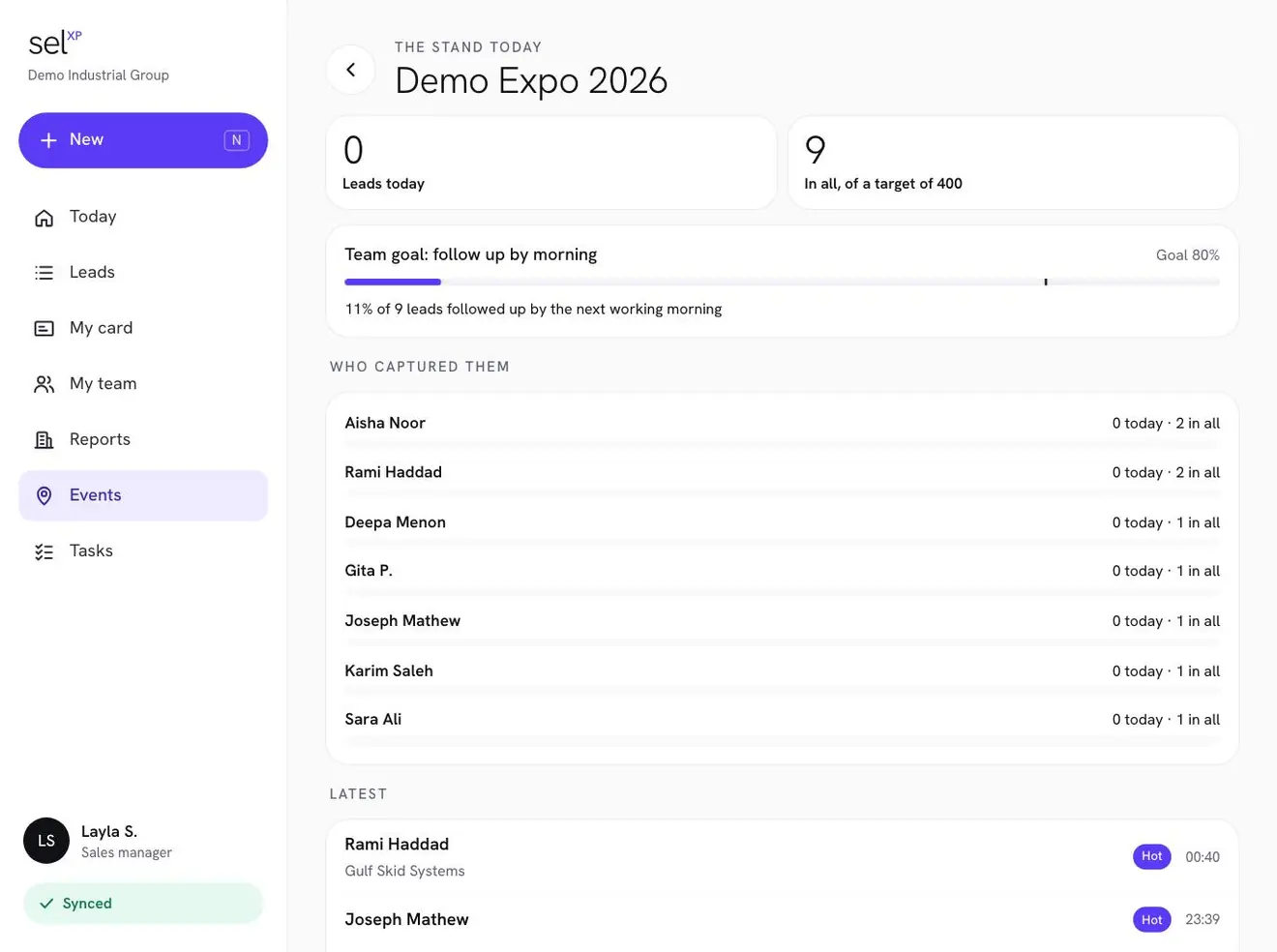
What is on it
| Part | What it shows |
|---|---|
| Leads today | Captured today at this event. |
| In all | Every lead so far, and the target if there is one. |
| Team goal: follow up by morning | The share of leads followed up by the next working morning, against the goal. It counts from the first morning deadline, and it shows only if your workspace uses team goals. It also says how many are still to follow up before the morning. |
| Who captured them | Each person, with leads today and in all. The most today comes first. |
| Latest | The newest captures: who, how warm, and when. Tap one to open the lead. |
The company in Latest shows only for leads you may open.
Imported lists do not count on the board, so the numbers are what the stand captured.
What reps see
A rep sees their own count, not the list of people. They may see the top third of the stand for follow-ups, if your admin has rankings on. Managers see the counts instead.
Good to know
- The board covers one event. For the numbers afterwards, use the event report.
- To check the morning after a show day, read Hot leads still waiting.
Still stuck?
Ask your company's admin, or write to hello@lucidarc.ae. Say which screen you were on and what you expected to happen.