
Stand kiosk
Turn a tablet or phone into a sign-up screen visitors fill in themselves. Each one becomes a lead, with or without signal.
The kiosk is for a company’s stand. It is not in a personal space. There is no menu on it, so a visitor cannot reach the rest of the app.
Start it
- Sign in on the device, with signal, so the products and event are on it.
- Open Profile, then Stand kiosk.
- Answer Who follows these leads up?
- Tap Start the kiosk, and leave the device facing visitors.
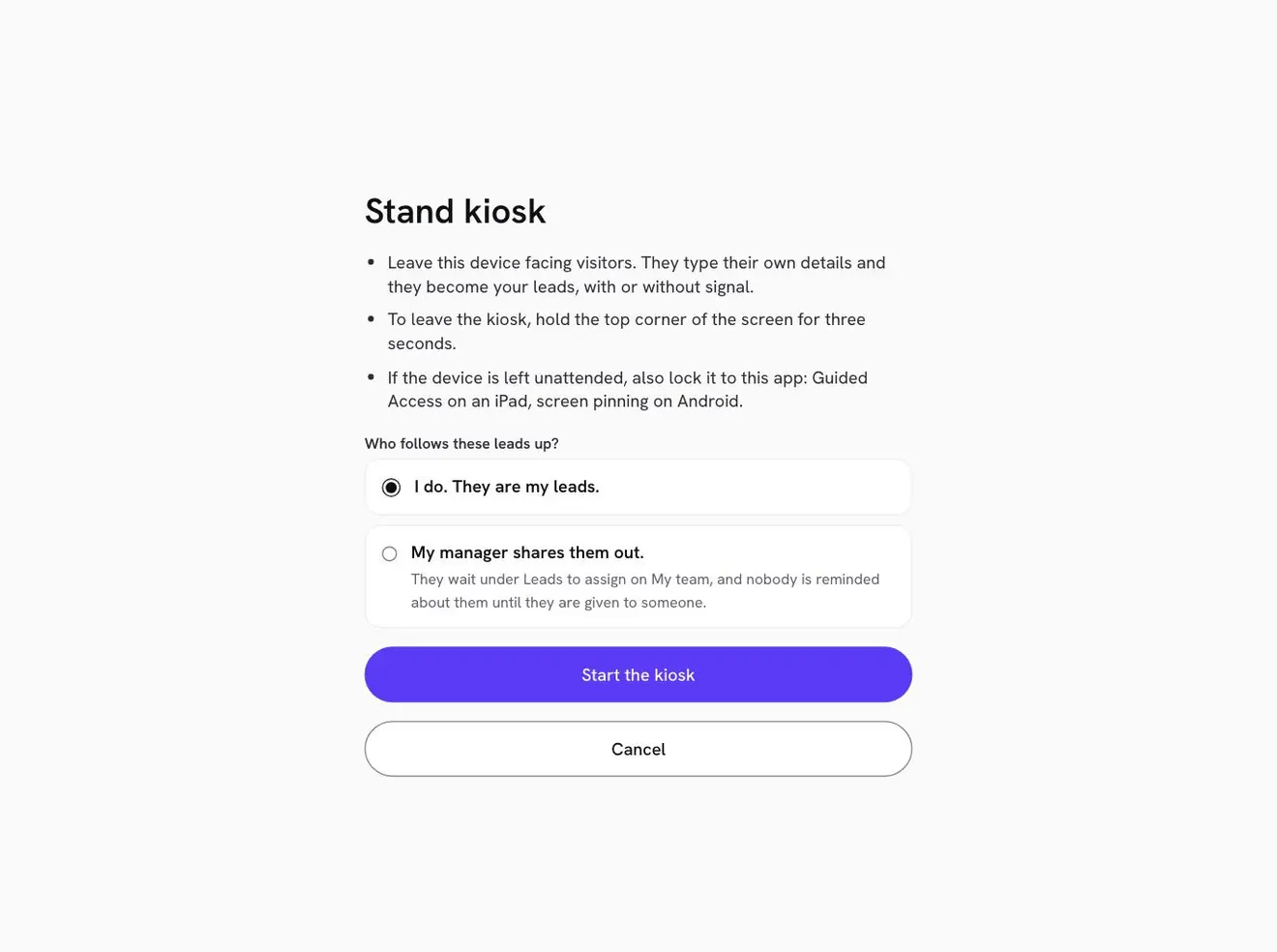
| Choice | What happens |
|---|---|
| I do. They are my leads. | Each visitor becomes your lead |
| My manager shares them out. | They wait under Leads to assign on My team. Nobody is reminded about them until they are given to someone |
If the device will be left alone, also lock it to the app with Guided Access on an iPad or screen pinning on Android. The kiosk cannot do that for you.
What visitors do
- They tap Leave your details.
- They give their name, company, work email and mobile. They can tap what interests them, and say what they are looking for.
- They tick that your company may contact them about this enquiry. They can also tick for product news.
- They tap Send, and see a thank you for five seconds.
| Rule | Detail |
|---|---|
| Needed | A name, an email or a phone, and the tick |
| Language | A button on the form changes between English and Arabic. It goes back to yours for the next visitor |
| Left half-way | The form clears itself after 90 seconds with no touch |
| Privacy | Nothing of one visitor is left for the next |
The welcome screen shows how many came in today on this device. If one of your events is running today, the leads are saved against it.
Leave the kiosk
Hold the top corner of the screen for three seconds.
Good to know
- With no signal, leads stay on the device and go up when it is back online. Connect it before you sign out.
- Kiosk leads show Stand kiosk as how they were met.
- A lead left for your manager says Waiting for an owner. See A lead’s page.
Still stuck?
Ask your company's admin, or write to hello@lucidarc.ae. Say which screen you were on and what you expected to happen.